

Crossmark
The Developer-Friendly Browser Wallet
Crossmark is a powerful browser extension wallet built for the XRP Ledger. It's designed with developers in mind, offering seamless Web3 authentication and multi-network support. Lightweight yet feature-rich, it's perfect for users who prefer browser-based crypto management.
Compare alternatives
In-Depth Review
Overview and First Impressions
Crossmark fills an important gap in the XRPL wallet landscape: a browser extension wallet that brings the convenience of MetaMask-style interaction to the XRP Ledger. For users who spend most of their time on desktop browsers and want to interact with XRPL-based web applications without reaching for their phone, Crossmark provides a seamless, purpose-built experience. It supports Chrome, Firefox, Brave, and Edge, covering the vast majority of desktop users.
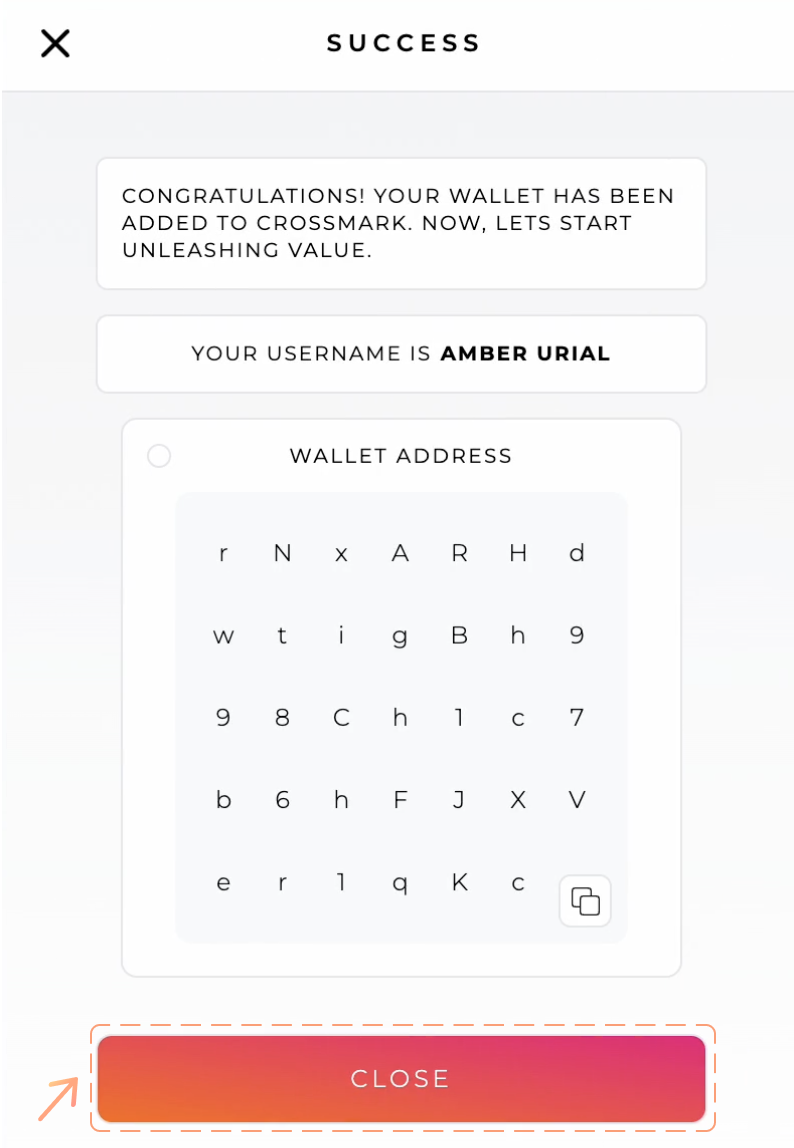
The extension installs in seconds and the setup process is straightforward. You can create a new XRPL account or import an existing one using a seed phrase or secret key. The interface is compact but well-organized, showing your XRP balance, token holdings, and recent transaction history in a clean, modern layout that avoids the cluttered feel of some competing extensions.
User Experience and Daily Use
Crossmark's primary strength is its integration with XRPL web applications. When you visit a compatible dApp or DEX, Crossmark injects the necessary connection layer automatically, allowing the website to request transaction signatures just as MetaMask does for Ethereum. This makes interacting with XRPL-based DEXs, NFT marketplaces, and token platforms feel natural for anyone who has used browser-based wallets on other chains.
The wallet supports multiple accounts, trustline management, and token operations. Sending XRP or tokens is quick — the popup interface handles destination addresses, tags, and memo fields clearly. For developers and power users, Crossmark also exposes an API that makes it easy to integrate XRPL functionality into web projects, which has helped it gain adoption among XRPL application builders.
Security Considerations
As a browser extension wallet, Crossmark operates in a different security context than hardware wallets or dedicated mobile apps. Your encrypted keys are stored within the browser's extension storage, protected by your password. This means your security is directly tied to the security of your browser and computer. If your machine is compromised by malware, a browser extension wallet is more vulnerable than a hardware wallet.
Crossmark mitigates these risks through encrypted local storage, automatic locking after periods of inactivity, and clear transaction confirmation screens that display all details before you sign. The wallet does not transmit your keys to any external servers. For users managing smaller amounts for active trading and dApp interaction, this security level is appropriate and practical. For larger holdings, we recommend pairing Crossmark with a hardware wallet for cold storage.
Who Should Use Crossmark
Crossmark is the right wallet for desktop-first users who want to interact with XRPL web applications without switching to a mobile device. It is especially valuable for developers building on the XRPL, active DEX traders who prefer a browser-based workflow, and users coming from Ethereum or other EVM chains who are familiar with the browser extension wallet pattern.
It is not ideal as a sole wallet for large holdings due to the inherent security trade-offs of browser extensions, and it lacks some of the mobile-specific features that Xaman provides. The best approach for most users is to use Crossmark alongside a mobile or hardware wallet — Crossmark for desktop dApp interaction and DEX trading, and a more secure wallet for long-term storage.

Alternatives to Crossmark
If this wallet isn't quite right for you, here are the closest alternatives we'd recommend.

Anyone looking for a free, full-featured XRPL wallet. Perfect for beginners and advanced users alike.
Privacy-conscious users who want a clean, ad-free wallet with dApp browsing capabilities.
Visitor reviews
Frequently Asked Questions about Crossmark
Pros
- Completely free to use
- Fast and lightweight
- Great developer documentation
- Easy Web3 integration
- Works across major browsers
- Clean, intuitive interface
Cons
- Browser-only (no mobile app)
- Smaller community than Xaman
- Fewer xApp integrations
- Less beginner-focused tutorials
Key Features
Security Features
Best For
Developers and power users who prefer browser-based wallet access with seamless dApp integration.
Related XRP wallet content
Free: XRPL Wallet Starter Kit
Get our setup checklist, security tips, and the same shortlist we'd give a friend asking about Crossmark.
- Step-by-step Xaman setup checklist
- Hardware wallet buying guide (PDF)
- 5 mistakes new XRP holders make
Affiliate link - we may earn a commission at no extra cost to you