

Trezor Safe 5
Premium Color-Touchscreen Hardware Wallet
The Trezor Safe 5 is SatoshiLabs' flagship hardware wallet — a premium device with a 1.54-inch color touchscreen, EAL6+ certified secure element and Trezor's signature open-source firmware. It is built for long-term XRP holders who want a polished cold-storage experience without giving up auditability.
Compare alternatives
In-Depth Review
Overview and First Impressions
The Trezor Safe 5 is SatoshiLabs' flagship hardware wallet — a premium, color-touchscreen device that builds on more than a decade of Trezor engineering. Where the Safe 3 prioritises affordability and simplicity, the Safe 5 is designed for long-term holders who want a polished, modern experience without giving up the open-source guarantees that made the Trezor brand. It is the most refined Trezor device ever shipped, and it is squarely positioned as a competitor to Ledger's premium line.
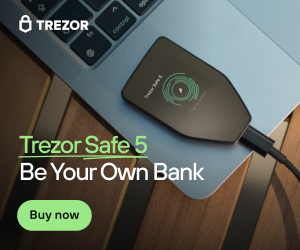
Out of the box, the Safe 5 feels noticeably more substantial than the Safe 3. The 1.54-inch color touchscreen is bright and responsive, the haptic feedback is subtle but pleasant, and the rounded magnetic backing snaps cleanly into the included dock. There are no buttons — every interaction happens on the screen — which makes confirming XRP transactions, entering your PIN, and navigating the menus feel closer to using a small smartphone than a traditional hardware wallet.
User Experience and Trezor Suite
Setup is the smoothest of any Trezor device to date. You plug the Safe 5 into your computer over USB-C, open Trezor Suite (or the web app), follow the on-screen wizard, and write down your 12, 20, or 24-word recovery seed. The color screen pays off immediately during setup: addresses are easier to verify, the keyboard for entering your passphrase is laid out comfortably, and warnings stand out clearly. The whole process typically takes under ten minutes, and Trezor Suite handles firmware updates without ever exposing your seed.
Day-to-day, the Safe 5 acts as a cold-storage signer for XRP via Trezor Suite. You can send and receive XRP, view your balance and transaction history, and confirm every transfer on the device's touchscreen before signing. Trezor still does not natively expose XRPL DEX trading, trustlines, or NFTs in Suite — those remain the domain of XRPL-native wallets — so most XRP holders pair the Safe 5 with Xaman or Crossmark for ecosystem features and use the Safe 5 itself as the secure vault for the bulk of their holdings.
Security Architecture
Under the hood the Safe 5 uses a CC EAL6+ certified secure element (Optiga Trust M11) paired with Trezor's open-source firmware. The combination is significant: the secure element protects your seed against physical extraction attacks that targeted earlier Trezor models, while the open-source firmware preserves the auditability and transparency that long-time Trezor users rely on. Every transaction is signed inside the secure element after you confirm the on-screen details with a deliberate touch-and-hold, so malware on your phone or laptop cannot silently move your XRP.
The Safe 5 supports PIN protection with a randomized on-device keypad, optional passphrases (the so-called 25th word) for plausible deniability, and Shamir Backup (SLIP-39) for splitting your seed into multiple shares. Firmware updates are signed and verified on-device, and Trezor publishes a detailed security policy plus the full source for both the firmware and Suite. For high-net-worth XRP holders who want certified hardware security without giving up the right to inspect the code, this is one of the strongest combinations on the market.
Who Should Use Trezor Safe 5
The Trezor Safe 5 is the right pick for XRP holders who want a premium, modern cold-storage device and who value open-source verifiability as much as certified hardware security. At $169 it sits at the same price point as the Ledger Nano X and the ELLIPAL Titan, and its color touchscreen, EAL6+ secure element, and Shamir Backup support make it competitive on every spec that matters for long-term storage. If you already trust the Trezor brand but found the Safe 3's monochrome screen and single button limiting, the Safe 5 is the obvious upgrade.
Where the Safe 5 is less compelling is for users who primarily want a single device to drive day-to-day XRPL activity. There is no Bluetooth, no on-device DEX, and no native NFT browser — just like every other multi-chain hardware wallet. The intended workflow is to pair the Safe 5 with a software XRPL wallet such as Xaman or Crossmark, signing transactions on the Safe 5 while doing the discovery, trading, and dApp work on your phone or browser. Treated that way, it is one of the most polished cold-storage signers a serious XRP holder can buy.
Alternatives to Trezor Safe 5
If this wallet isn't quite right for you, here are the closest alternatives we'd recommend.

Serious investors with significant holdings who want maximum security and multi-coin support.
Users who want hardware security without the bulk. Great for those always on the go.
Security-focused users who value open-source transparency and want a trusted, affordable hardware wallet.
Visitor reviews
Frequently Asked Questions about Trezor Safe 5
Pros
- Premium color touchscreen UX
- EAL6+ secure element
- Fully open-source firmware
- Shamir Backup support
- Polished Trezor Suite app
- Long Trezor security track record
Cons
- No Bluetooth (USB-C only)
- No native XRPL DEX or NFT support
- Premium price ($169)
- Best paired with an XRPL software wallet
Key Features
Security Features
Best For
XRP holders who want a premium, modern open-source cold-storage device with certified secure element protection.
Related XRP wallet content
Free: XRPL Wallet Starter Kit
Get our setup checklist, security tips, and the same shortlist we'd give a friend asking about Trezor Safe 5.
- Step-by-step Xaman setup checklist
- Hardware wallet buying guide (PDF)
- 5 mistakes new XRP holders make
Affiliate link - we may earn a commission at no extra cost to you