

Trezor Safe 3
Open-Source Hardware Security
Trezor is the original hardware wallet, pioneering cold storage security since 2014. The Safe 3 offers a secure element chip, open-source firmware, and support for thousands of cryptocurrencies including XRP. It's a trusted choice for security-conscious users who value transparency.
Compare alternatives
In-Depth Review
Overview and First Impressions
The Trezor Safe 3 represents the latest evolution from SatoshiLabs, the Czech company that invented the hardware wallet category back in 2013. As the successor to the beloved Trezor One, the Safe 3 adds a secure element chip (Optiga Trust M) while maintaining Trezor's commitment to open-source firmware and transparent security practices. It is a compact, affordable device that strikes a careful balance between security, usability, and price.
The Safe 3 is smaller than a USB flash drive, with a simple monochrome display and a single button for navigation. It connects to your computer via USB-C, which is a welcome upgrade from the micro-USB ports on older Trezor models. The build quality is solid plastic — functional rather than premium, but lightweight and easy to carry. The device works with Trezor Suite, an open-source desktop and web application that serves as your command center for managing accounts and transactions.
User Experience and Trezor Suite
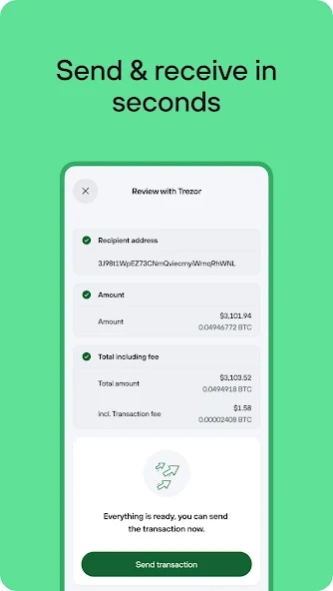
Setting up the Trezor Safe 3 is straightforward: install Trezor Suite, connect the device, follow the firmware initialization process, and write down your 12 or 24-word seed phrase. The setup wizard is clear and well-paced, with helpful explanations at each step. Trezor Suite itself is one of the best hardware wallet companion applications available — clean, responsive, and packed with features including portfolio tracking, transaction history, built-in exchange integration, and coin management.
For XRP holders, the Trezor Safe 3 provides solid support through Trezor Suite. You can send and receive XRP, view your balance and transaction history, and manage your account directly from the desktop app. The device displays transaction details on its screen for physical verification before signing. While Trezor supports over 9,000 coins and tokens, it does not natively support XRPL-specific features like the DEX, trustlines, or NFTs — for those, you would need a dedicated XRPL wallet.
Security Philosophy
Trezor's approach to security is distinctive in the hardware wallet industry: the firmware is fully open-source. Anyone can inspect, audit, or compile the code running on the device. This transparency is a significant advantage for users who want to verify exactly how their keys are being handled, and it has allowed the security community to identify and help fix vulnerabilities over the years. The Safe 3's addition of a secure element chip addresses one of the main criticisms of earlier Trezor models, which relied solely on a general-purpose microcontroller.
The seed phrase is your sole backup, and Trezor provides Shamir Backup (SLIP-39) support for advanced users who want to split their seed into multiple shares distributed across different locations. The device supports passphrase protection, PIN entry with randomized keypad, and wipe-after-failed-attempts policies. One trade-off to be aware of: because the firmware is open-source, sophisticated physical attacks against older Trezor models have been demonstrated by security researchers — though the Safe 3's secure element chip significantly raises the bar.
Who Should Use Trezor Safe 3
The Trezor Safe 3 is an excellent choice for users who value transparency and open-source principles in their security tools. At $79, it is one of the most affordable hardware wallets with a secure element chip, making it accessible for users who want cold storage without the premium price of a Ledger Nano X or ELLIPAL Titan. The Trezor Suite software is a genuine pleasure to use, and the device's long track record provides confidence in its reliability.
The main limitations for XRP users are similar to other multi-chain hardware wallets: no XRPL DEX access, no trustline management, and no xApp compatibility. If the XRPL ecosystem is your focus, the Trezor Safe 3 works best as a cold storage companion to a dedicated XRPL wallet. For users who primarily want to secure their XRP holdings long-term and occasionally send transactions, it is a trustworthy, affordable option backed by the team that pioneered the entire hardware wallet category.

Alternatives to Trezor Safe 3
If this wallet isn't quite right for you, here are the closest alternatives we'd recommend.

Serious investors with significant holdings who want maximum security and multi-coin support.
Maximum security seekers who want zero remote attack surface and don't mind the extra steps.
Visitor reviews
Frequently Asked Questions about Trezor Safe 3
Pros
- Original hardware wallet brand
- Fully open-source
- Budget-friendly option
- Strong track record
- Active development
- Transparent security
Cons
- No Bluetooth (USB only)
- Smaller screen than competitors
- Some features need Suite app
- Less mobile-friendly
Key Features
Security Features
Best For
Security-focused users who value open-source transparency and want a trusted, affordable hardware wallet.
Related XRP wallet content
Free: XRPL Wallet Starter Kit
Get our setup checklist, security tips, and the same shortlist we'd give a friend asking about Trezor Safe 3.
- Step-by-step Xaman setup checklist
- Hardware wallet buying guide (PDF)
- 5 mistakes new XRP holders make
Affiliate link - we may earn a commission at no extra cost to you